Sign-in and account security
Sign in
Sign-in uses your username and password. After several failed attempts in a row, sign-in is temporarily blocked for a short time — this protects against password brute-forcing.
After a successful sign-in, the session lasts for a limited time; you will need to sign in again afterward.
Change password
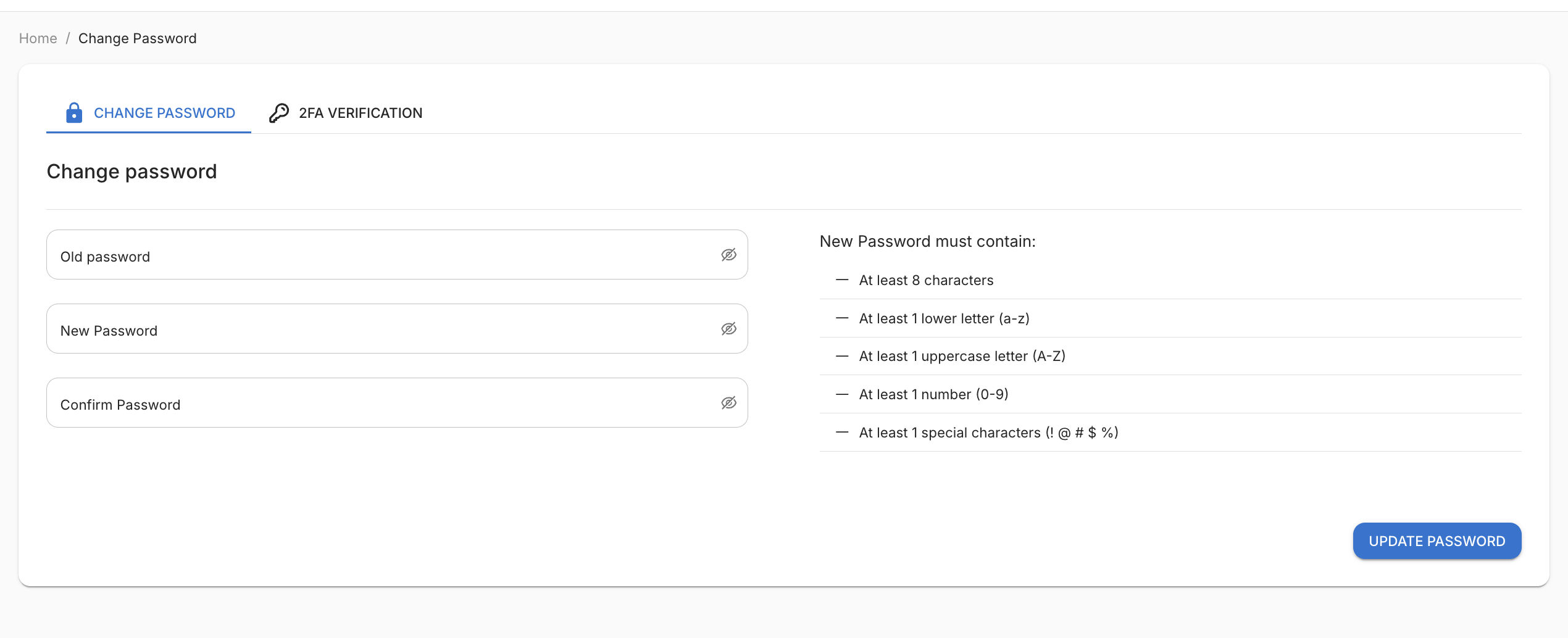
Open the profile menu → Change password. You must enter your old password and the new password twice.
The new password must contain:
- at least 8 characters;
- at least 1 lowercase letter (a–z);
- at least 1 uppercase letter (A–Z);
- at least 1 digit (0–9);
- at least 1 special character (e.g.
! @ # $ %).
After changing the password, all active sessions end — sign in again with the new password.
Two-factor authentication (2FA)
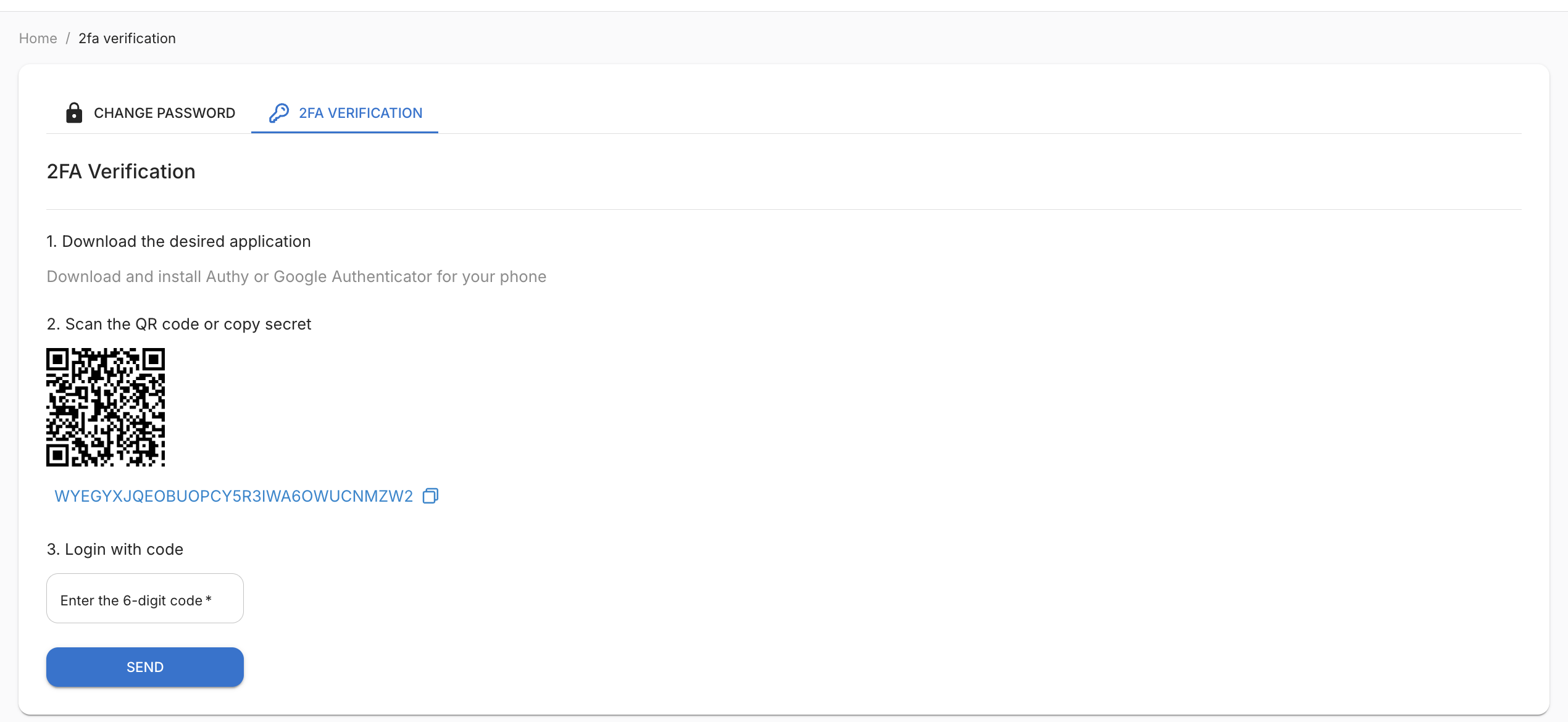
The 2FA verification tab in profile settings lets you connect one-time codes (TOTP) from an authenticator app (Google Authenticator, Authy, etc.). This adds an extra layer of protection for access to your funds.
How to enable:
- Open profile → 2FA verification.
- Scan the QR code shown in your authenticator app.
- Enter the 6-digit code from the app to confirm — 2FA will then be active.
After enabling 2FA, each sign-in will require a 6-digit code from the app after you enter your password.
To disable 2FA, confirm the action with your current password.
Where else TOTP is required
If 2FA is enabled in your profile, a one-time code from the authenticator app is requested not only at sign-in but also for sensitive actions:
- withdrawals (Wallets section);
- creating a new user (Users section);
- regenerating the organization API key (API keys tab).
This adds extra protection against unauthorized changes, even if someone gains access to your active session.
Info
Recommendation. Keep 2FA enabled — it is the primary protection for your account and, accordingly, your funds. Keep backup access to your authenticator app so you do not lose the ability to sign in.