AML whitelist
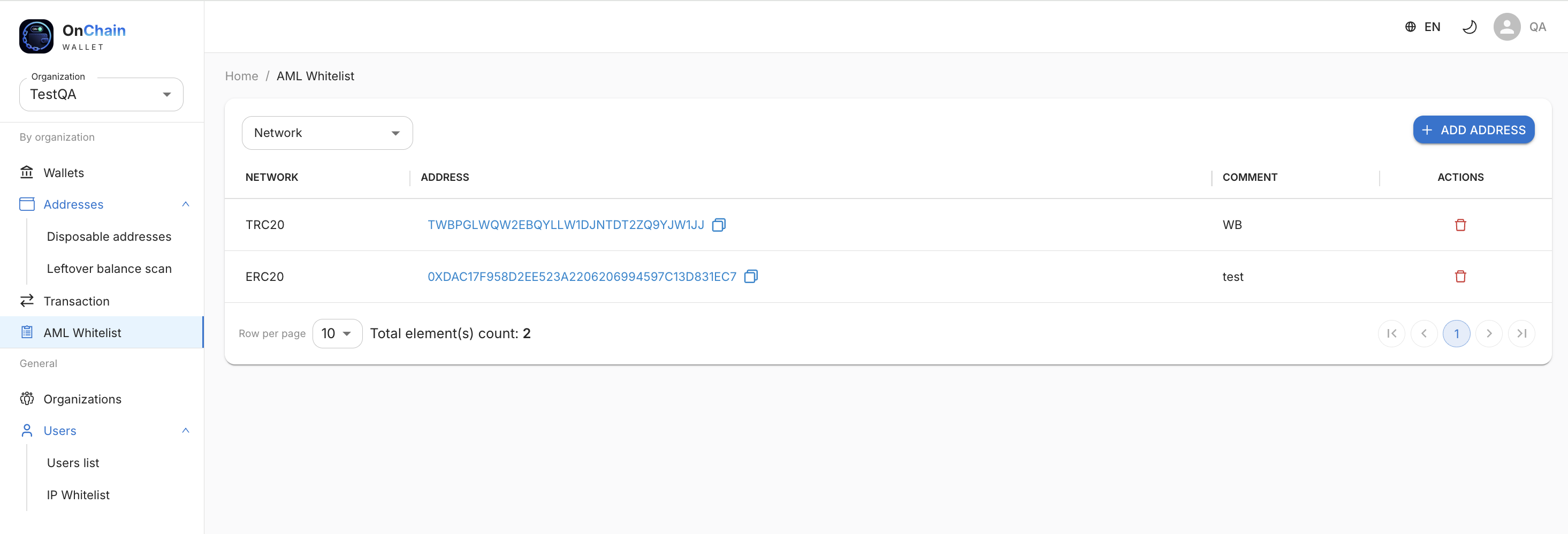
The AML whitelist section lets you add addresses for which no AML screening is performed on incoming payments. Funds from such addresses are credited to the main wallet without waiting for AML results.
Why this is needed
A typical scenario is exchange addresses (Binance, WhiteBit, etc.) that already send "clean" funds. If you regularly receive funds from known exchange wallets, add them to the whitelist — this speeds up crediting and reduces false AML triggers.
Add an address
- Go to AML whitelist in the selected organization's menu.
- Optionally filter the list by network (TRC20, ERC20, etc.).
- Click + ADD ADDRESS.
- Specify network, address, and comment (e.g. "WhiteBit" or "Binance") — to distinguish entries in the table.
Records table
| Column | Description |
|---|---|
| Network | Blockchain network of the address (TRC20, ERC20, BEP20, etc.). |
| Address | Cryptocurrency address of the sender (can be copied). |
| Comment | Your label for convenience. |
| Actions | Delete entry from the whitelist. |
Info
The whitelist applies at the organization level — entries apply only to the selected organization. AML screening for addresses not on the list works as before according to network settings.
Warning
Add only verified addresses you trust to the whitelist. Any payment from such an address will be credited without AML screening.